How to Update Airtable Automation Scripts Without Copy-Pasting
If you keep changing the code in an Airtable automation, pasting the whole script into Run a script every time becomes difficult to manage. Airtable does not currently provide a supported way to deploy script changes from GitHub or update the script source through its API.
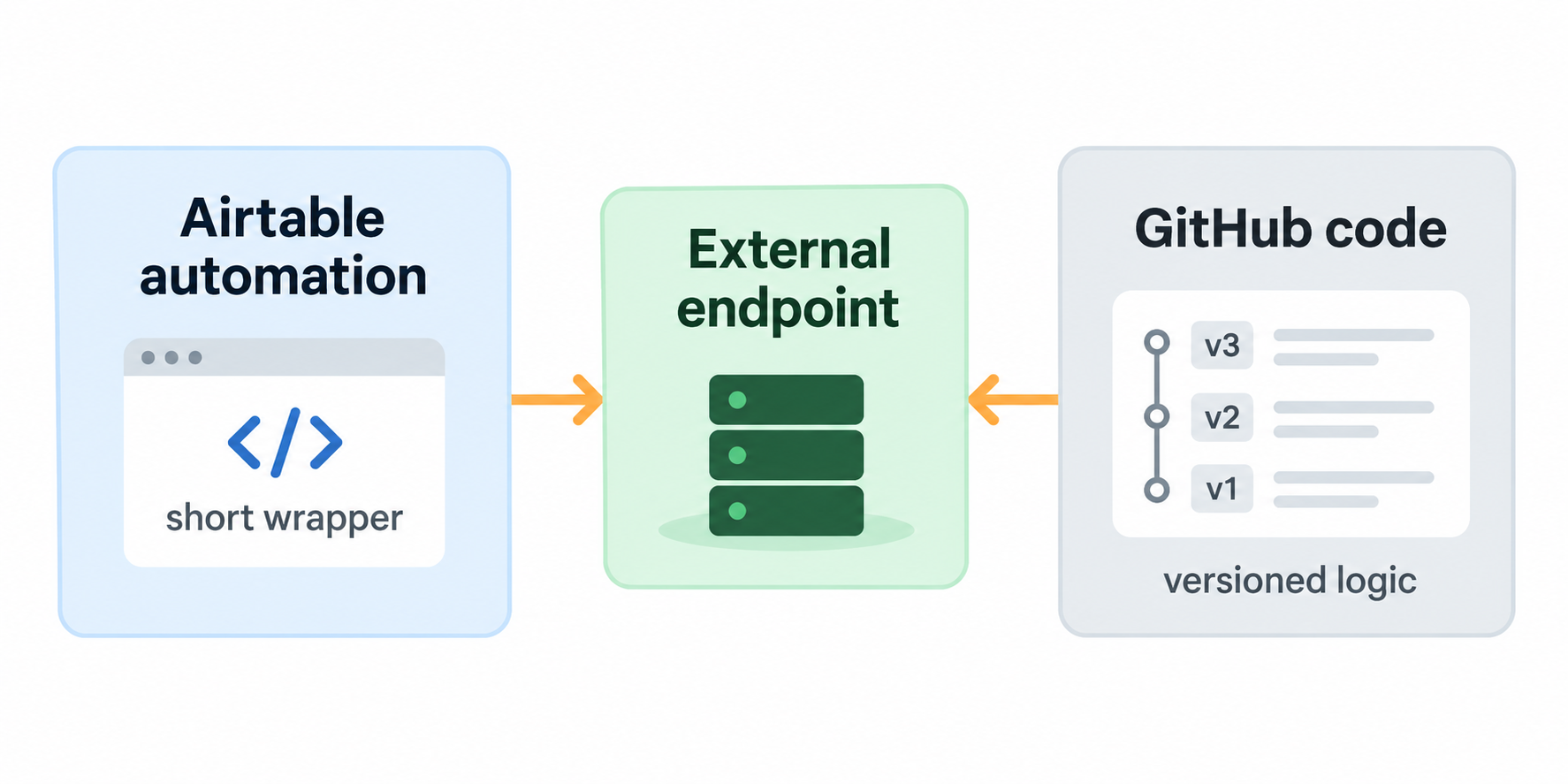
There are two practical ways to handle this. Keep the script in Airtable when it is short, or keep a small Airtable wrapper and move the changing logic to an external endpoint.
Keep short scripts in Airtable
For a small script that only updates a few fields or finds related records, keeping the code in Airtable is usually the simplest option. Open the automation, edit the Run a script action, paste the updated code, test it, and turn the automation back on.
This keeps the full logic visible in the automation and avoids adding another service to maintain.
Move changing logic outside Airtable
Use an external endpoint when the script is large, changes often, or is shared by several workflows. The Airtable script stays short and sends the record data to your endpoint. You then update the logic in one place without editing every Airtable automation.
For example, imagine an automation that runs when a client is approved. The Airtable script can send the client record ID, name, and email to your endpoint. The endpoint can then run the rest of the process and return the result to Airtable.
In the Run a script action, add input variables for the values the endpoint needs. For example:
- Record ID from the triggering record
- Client Name
- Client Email
Then use a short wrapper like this:
const config = input.config();

const response = await fetch("https://your-domain.com/airtable/client-approved", {
  method: "POST",
  headers: {
    "Content-Type": "application/json",
  },
  body: JSON.stringify({
    recordId: config.recordId,
    name: config.clientName,
    email: config.clientEmail,
  }),
});

if (!response.ok) {
  throw new Error(`External request failed: ${response.status}`);
}

const result = await response.json();
output.set("status", result.status);
Your endpoint now contains the logic that changes. Airtable only keeps the trigger, the input mapping, and the request that starts the process.
If the endpoint needs an API key, add it as a secret in the automation's Run a script action instead of placing it directly in the code. The external service should also check that the request is authorized before it processes the record.
Why GitHub alone does not solve this
GitHub is useful for storing and versioning the external code, but Airtable cannot load a JavaScript file from GitHub and execute it inside a Run a script action. Airtable automation scripts do not support eval() or another supported import method for running downloaded code.
You can still keep the external endpoint's code in a private GitHub repository and deploy it to your own server. The Airtable automation calls the deployed endpoint, not the source file in GitHub.
Test the wrapper before replacing the script
Test the external endpoint with one record before changing the live automation. Check that it receives the expected values, returns a successful response, and handles failed requests clearly.
If the work still runs inside Airtable, keep the script within Airtable's limits. Airtable's Run a script documentation lists the current execution, fetch, memory, and record-mutation limits. You can also read how to deal with Airtable's script execution limits.