Let's say you have a form for adding a new contact.
The form has a Company field linked to your Companies table. If the company already exists, no problem. The person filling out the form searches for it and selects it.
But what happens when the company doesn't exist yet?
This is where native Airtable forms run into a limitation. A linked record field lets someone select an existing record, but it doesn't give them an option to create a new one from the form.
There are a few ways around this, and the best one depends on when you need the new record to be created.
Option 1: Ask for the company name and handle it with an automation
If the company doesn't need to exist until after the form is submitted, you can handle the whole thing with an Airtable automation.
Instead of showing the linked Company field on the form, add a text field called something like Company Name.
The person filling out the form simply types:
Acme Inc
They don't need to know whether Acme already exists in your Companies table.
After the form is submitted, run an automation that:
- Searches the Companies table for the submitted company name.
- If a matching company exists, links that record to the form submission.
- If no match exists, creates a new Company record.
- Links the newly created Company back to the form submission.
The nice thing about this approach is that the person filling out the form doesn't have to think about your Airtable structure at all. They provide the company name and the automation sorts out the rest.
The downside is matching.
Someone might enter Acme Inc, while an existing record is called ACME Inc. or Acme Incorporated. If company names aren't reasonably consistent, you can still end up creating duplicates.
For a more detailed version of this automation, see how to automatically link Airtable form submissions to existing or new records.
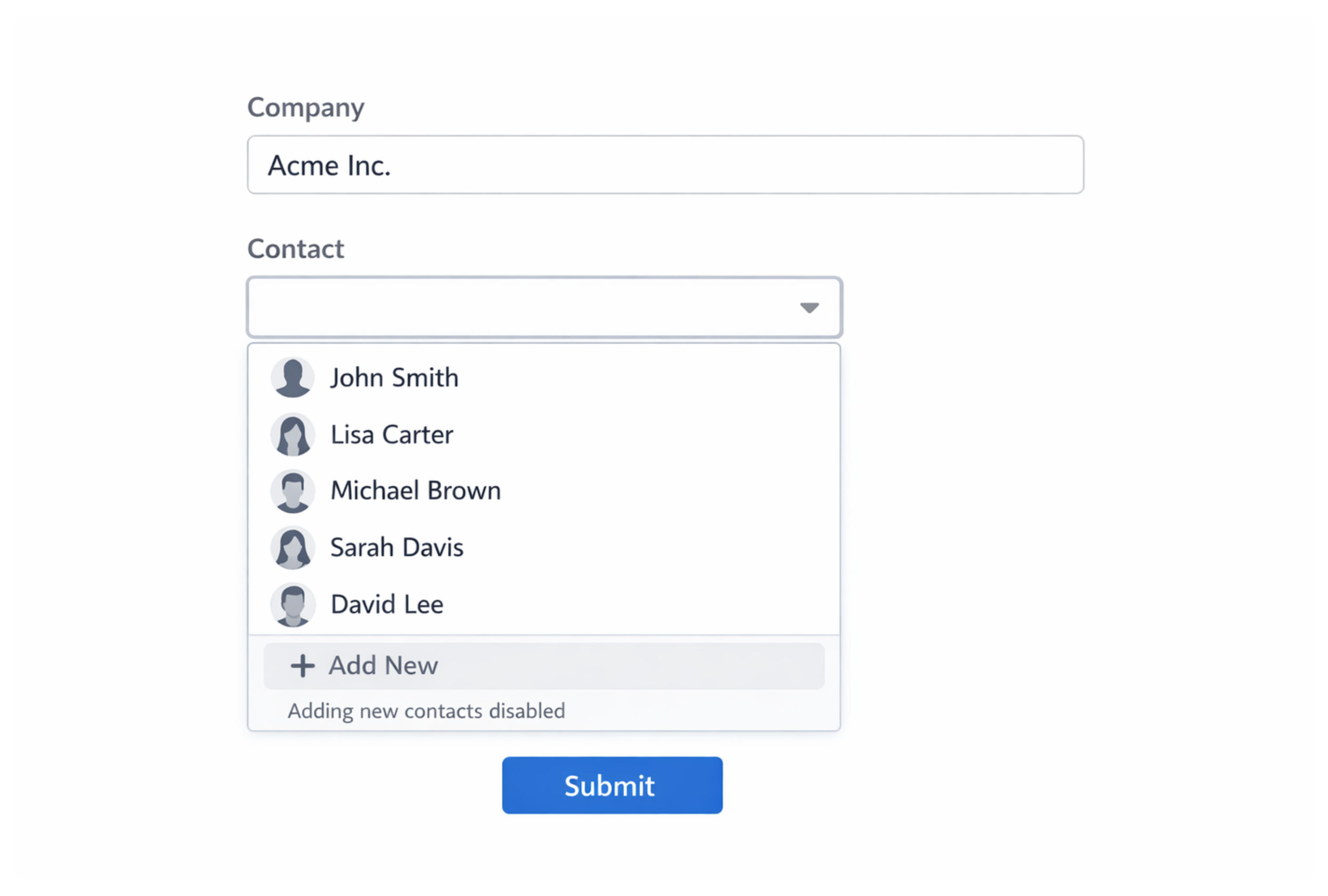
Option 2: Let people create the linked record with Fillout
If you want people to actually create the new linked record while they're filling out the form, Fillout is the easiest option I've found.
Fillout's record picker can search the existing records in your Airtable table and also give the user an option to create a new one.
So if Acme Inc already exists, they select it.
If it doesn't, they create it without leaving the form.
Fillout creates the new record in your Companies table and selects it as the linked record for the submission.
This gives you the experience you'd probably expect from the native Airtable form in the first place. There is no second form to open and no automation required just to create and connect the new record.
If this is a public-facing form and you want the process to feel as simple as possible for the person filling it out, this is the option I'd use.
Option 3: Add a "Can't find the company?" option
If you want to stay completely inside Airtable but still let people choose an existing company when possible, you can combine a linked record field with conditional form fields.
Keep your normal Company linked record field on the form.
Then add a checkbox such as:
Can't find the company?
When someone checks it, conditionally show additional fields such as:
New Company Name Company Website Company Address
The person can enter the new company's information and submit the form normally.
After submission, an automation creates the new Company record and links it back to the submission.
This gives you a nice middle ground. Existing companies can still be selected normally, while new companies can be added without sending the user somewhere else.
There is a little more automation setup involved, but the entire experience stays inside one Airtable form.
What if the company needs to exist before the main form is submitted?
There is one more approach, but I would only use it when the new linked record genuinely needs to exist before the person completes the main form.
Create two Airtable forms.
The first form creates the Company record.
Once that form is submitted, an automation sends the person a link to the second form. That URL is prefilled with the Airtable record ID of the Company that was just created.
When they open the second form, the new Company is already selected in the linked record field and they can complete the rest of the submission.
This works entirely inside Airtable, but there is more friction. The person has to submit one form, open another link, and complete a second form.
You also need to collect something like their email address in the first form so the automation knows where to send the second form.
For an internal workflow, that may be perfectly fine. For a public-facing form, I'd usually avoid making people go through two forms unless there is a good reason.
Which approach should you use?
For most cases, I keep it simple.
If the linked record can be created after the form is submitted, use an Airtable automation.
If the person needs to create the linked record while filling out the form, use Fillout.
If you want to stay completely inside Airtable and keep everything in one form, use the "Can't find it?" approach with conditional fields and an automation.
And if the linked record absolutely has to exist before the main submission, use the two-form approach with a prefilled linked record.
Native Airtable forms still don't let someone create a record directly from a linked record picker, but depending on your workflow, you can usually get pretty close.