How to Hide Other Users in an Airtable Interface
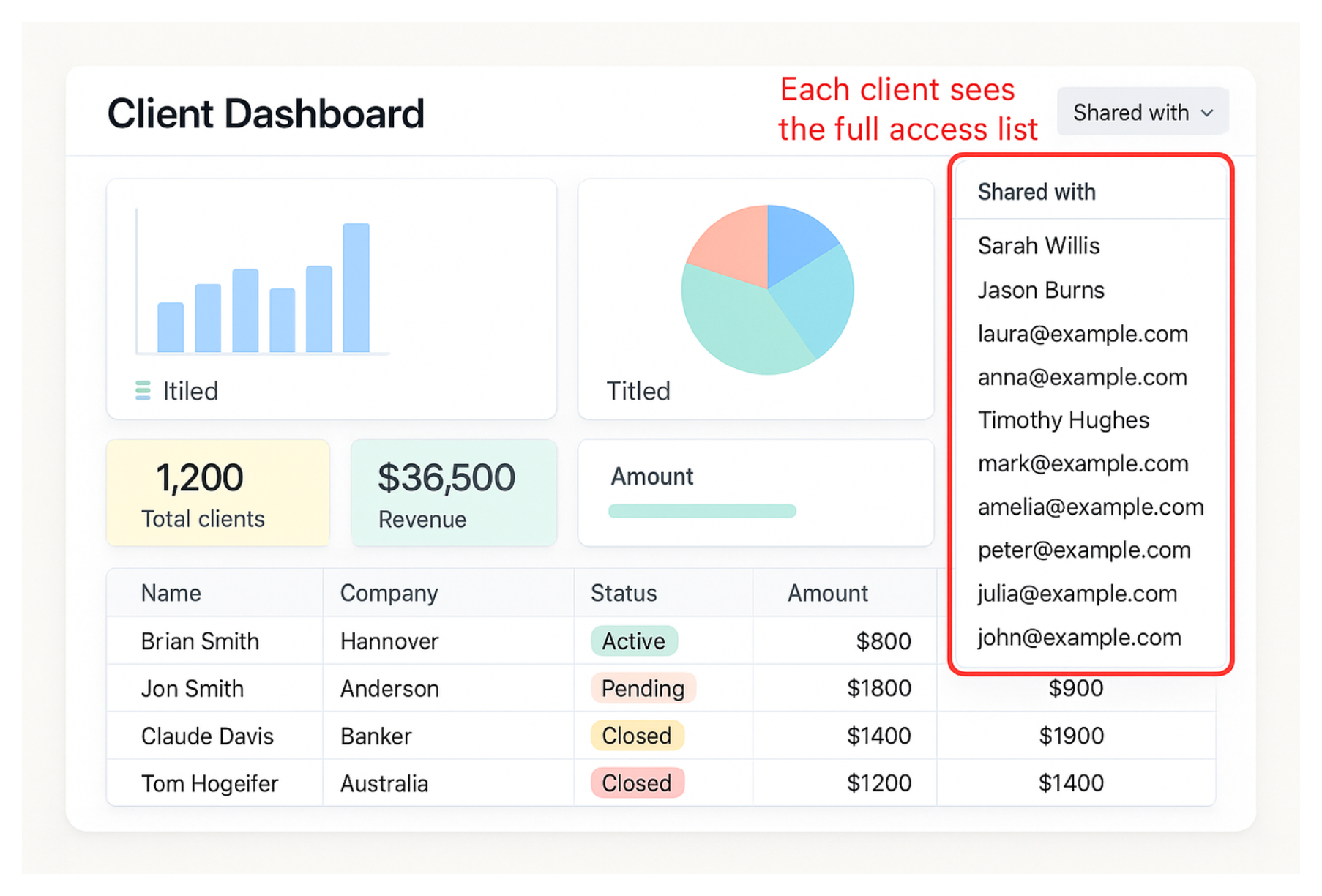
If you share an Airtable Interface with multiple external clients or users, you may notice that users can sometimes see who else has access to the Interface. For client portals, customer dashboards, or vendor workspaces, this is usually not acceptable. Clients should not be able to see each other's names or email addresses.
Here is how Airtable handles Interface visibility and the best ways to keep external users private.

Why Users Can See Other Collaborators
Airtable Interfaces were originally designed for collaboration. When you invite users directly to an Interface, Airtable may show parts of the collaborator list inside the sharing panel so users can see who else has access.
For internal teams, this is useful. For client-facing Interfaces, it creates a privacy problem.
The good news is that Airtable now includes a built-in setting specifically designed for this use case.
Solution 1: Enable “Prevent External Users From Seeing Each Other”
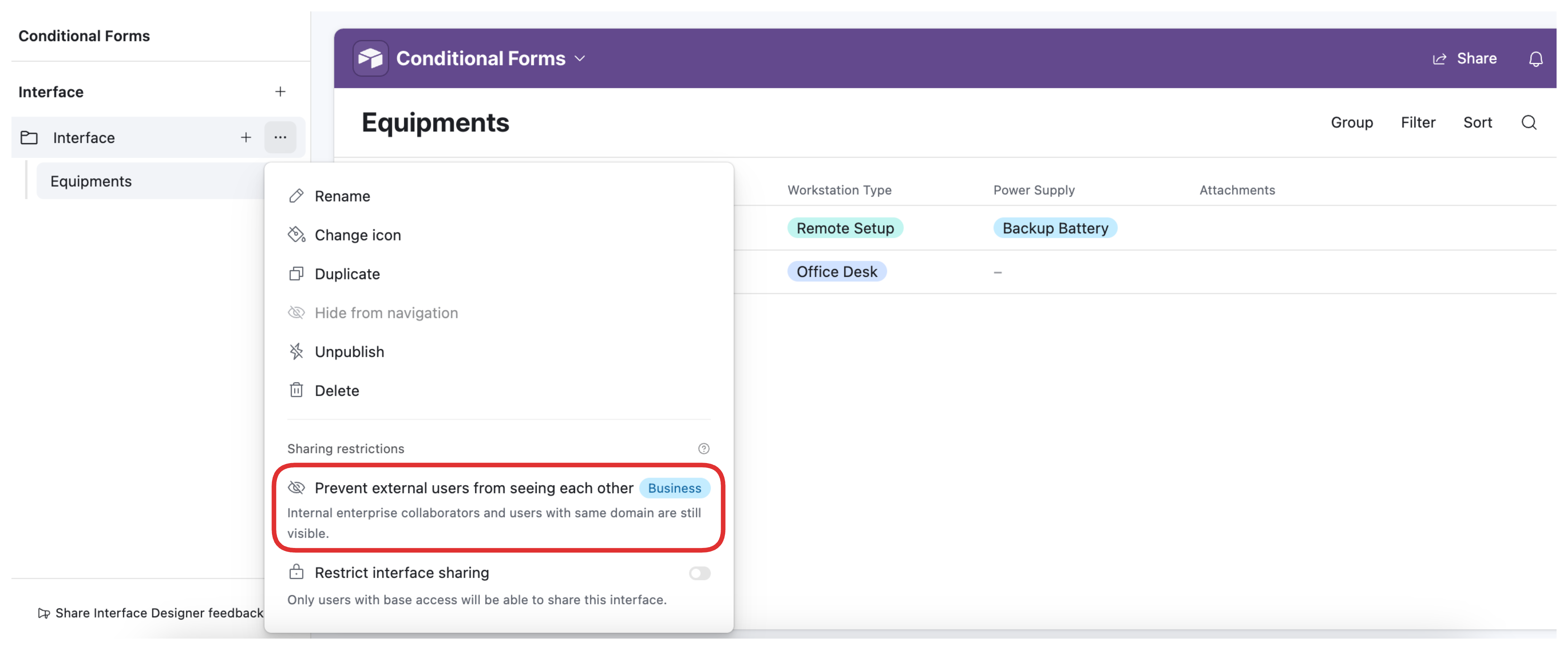
Airtable includes a privacy setting called Prevent external users from seeing each other for Interfaces.
When enabled, external users cannot view the full collaborator list, user mentions are hidden, and the sharing controls are removed for external collaborators. This is the simplest and best option if you want to continue using Airtable Interfaces directly while keeping client access private.
The main limitation is that this feature is only available on Airtable Business and Enterprise Scale plans. If you are on a lower plan, the setting will not appear in the Interface sharing options.
To enable it:
- Open the Interface
- Click Share
- Open the Interface sharing settings
- Enable Prevent external users from seeing each other
Solution 2: Use Airtable Portals
If you need a more structured external-user setup, Airtable Portals are the native Airtable solution.
Portals allow external users to log in and access specific Interfaces without becoming full workspace collaborators. Portal users are managed separately from your internal team, and users cannot see each other inside the sharing system.
Portals also support per-user filtering, so each client can be shown only their own records based on their email address or linked user record.
For businesses already committed to Airtable, this is usually the cleanest native setup for client access.
The tradeoff is pricing. Airtable Portals are billed per portal user, which can become expensive as the number of external users grows.
Solution 3: Use a Third-Party Portal Tool
Tools like Softr and Noloco connect to Airtable and provide their own authentication system for external users.
Each client logs in individually and sees only their own data. Since permissions are handled by the portal platform rather than Airtable's Interface sharing system, users cannot see other clients or collaborators.
Third-party tools are often a better fit if you want a more polished client experience, custom branding, better mobile responsiveness, or lower costs at scale. They also avoid many of Airtable's collaborator limitations.
For many businesses, Softr or Noloco becomes more cost-effective than Airtable Portals once the number of clients increases.
Solution 4: Share a Public Link
You can also share an Interface using a public link instead of inviting users individually.
With a public link, Airtable does not identify viewers, so there is no collaborator list for users to see. This can work for public dashboards or non-sensitive reporting.
However, public links are usually not appropriate for client portals because anyone with the link can access the Interface. Since Airtable cannot identify individual viewers, secure per-client filtering and user-level access control are not possible.
For confidential client data, authenticated access is usually the better approach.
Which Option Is Best?
| Option | Best For | Main Limitation |
|---|---|---|
| Airtable privacy setting | Hiding external users in standard Interfaces | Only available on Business and Enterprise Scale plans |
| Airtable Portals | Native Airtable client portals with login access | Per-user pricing can become expensive |
| Softr or Noloco | Branded client portals and larger external user bases | Requires a third-party tool |
| Public share links | Public dashboards and non-sensitive reporting | No user authentication or per-user filtering |