How to Create Multiple Records with the Airtable API
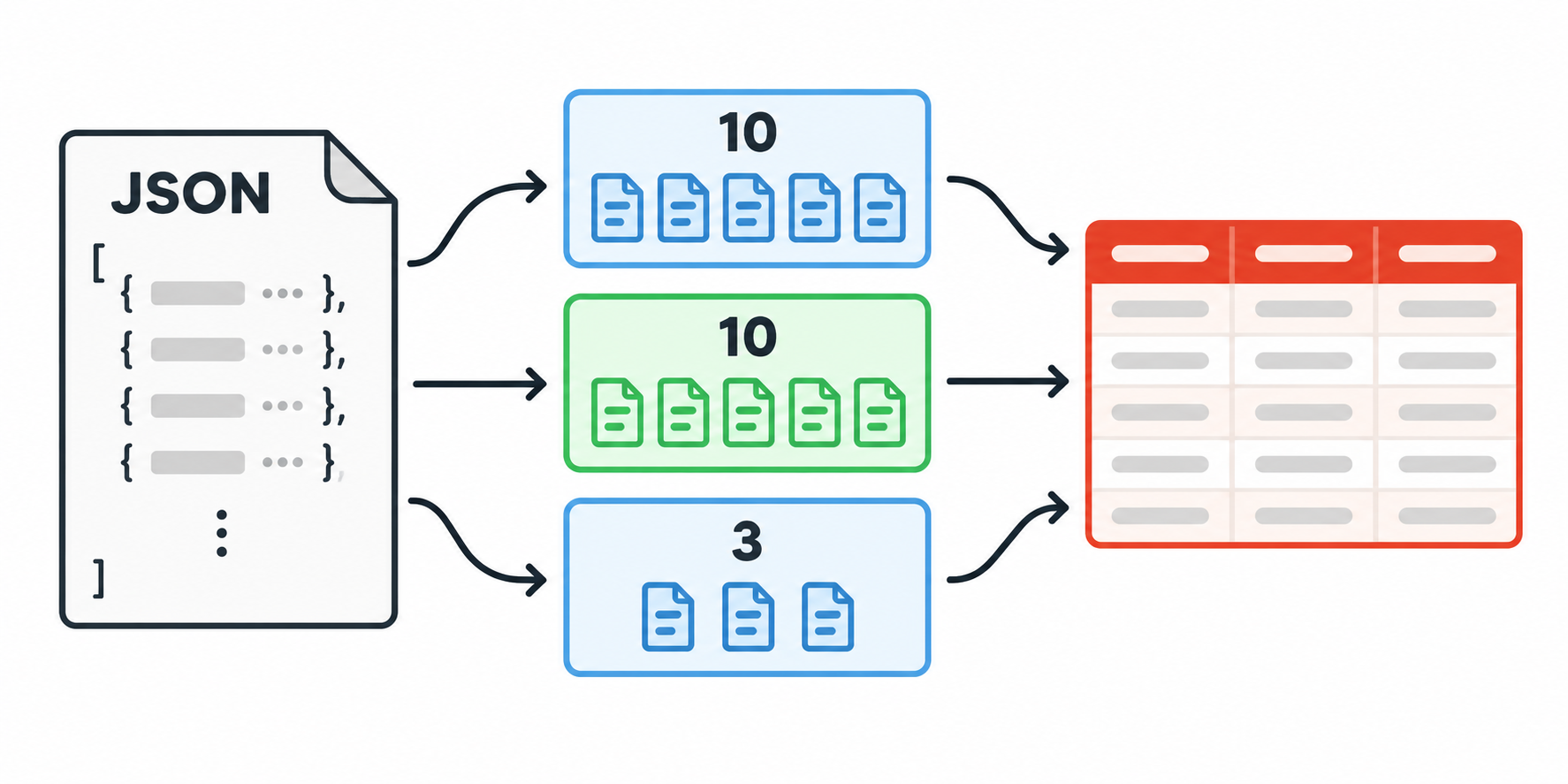
Airtable's REST API lets you create up to 10 records in one request. If you need to add more than 10, split the records into batches and send one request for each batch.
If you need to add 23 new orders to an Orders table, send them in three requests: 10 orders, another 10, and the remaining 3.
The setup has two parts: format the orders for Airtable, then let your script send them in batches.
Put the records in an array
Start by putting the orders you want to create in a records array. Each order goes inside its own object, and its values go inside fields.
For example, two of the orders could look like this:
{
  "records": [
    {
      "fields": {
        "Order number": "ORD-1001",
        "Customer": "Priya Shah",
        "Status": "New"
      }
    },
    {
      "fields": {
        "Order number": "ORD-1002",
        "Customer": "Marco Ruiz",
        "Status": "New"
      }
    }
  ]
}
The field names in the request must match fields in your Airtable table. You can also use field IDs instead of field names.
Once the records are in this format, you can send them to Airtable. The API accepts up to 10 records in each request.
Send the records in batches
Replace BASE_ID, TABLE_NAME, and the token in this example with the details from your own base. The loop takes care of splitting the full array into requests of 10 records.
const baseId = "BASE_ID";
const tableName = "Orders";
const token = process.env.AIRTABLE_TOKEN;

const records = [
  { fields: { "Order number": "ORD-1001", Customer: "Priya Shah", Status: "New" } },
  { fields: { "Order number": "ORD-1002", Customer: "Marco Ruiz", Status: "New" } }
  // Add the rest of your records here.
];

for (let i = 0; i < records.length; i += 10) {
  const batch = records.slice(i, i + 10);

  const response = await fetch(
    `https://api.airtable.com/v0/${baseId}/${encodeURIComponent(tableName)}`,
    {
      method: "POST",
      headers: {
        Authorization: `Bearer ${token}`,
        "Content-Type": "application/json"
      },
      body: JSON.stringify({ records: batch })
    }
  );

  if (!response.ok) {
    throw new Error(await response.text());
  }
}
The first request sends 10 orders, then the loop moves on to the next 10. The final request contains whatever is left, so the 23 orders in this example are sent as 10, 10, and 3.
Slow down if Airtable returns 429
Sending 10 records at a time reduces the number of requests, but each base still allows only 5 Web API requests per second. If Airtable returns 429, wait 30 seconds and send the same batch again before continuing. See how to fix Airtable error 429 for the other causes of this response.
For the current record, batching, and rate limits, see Airtable's API limits documentation. If you need to read more than 100 records, see Airtable API limits and rate limits.